
git学习
git 的相关学习
将idea中的新建项目进行上传到github中,
- 在GitHub中新建仓库:
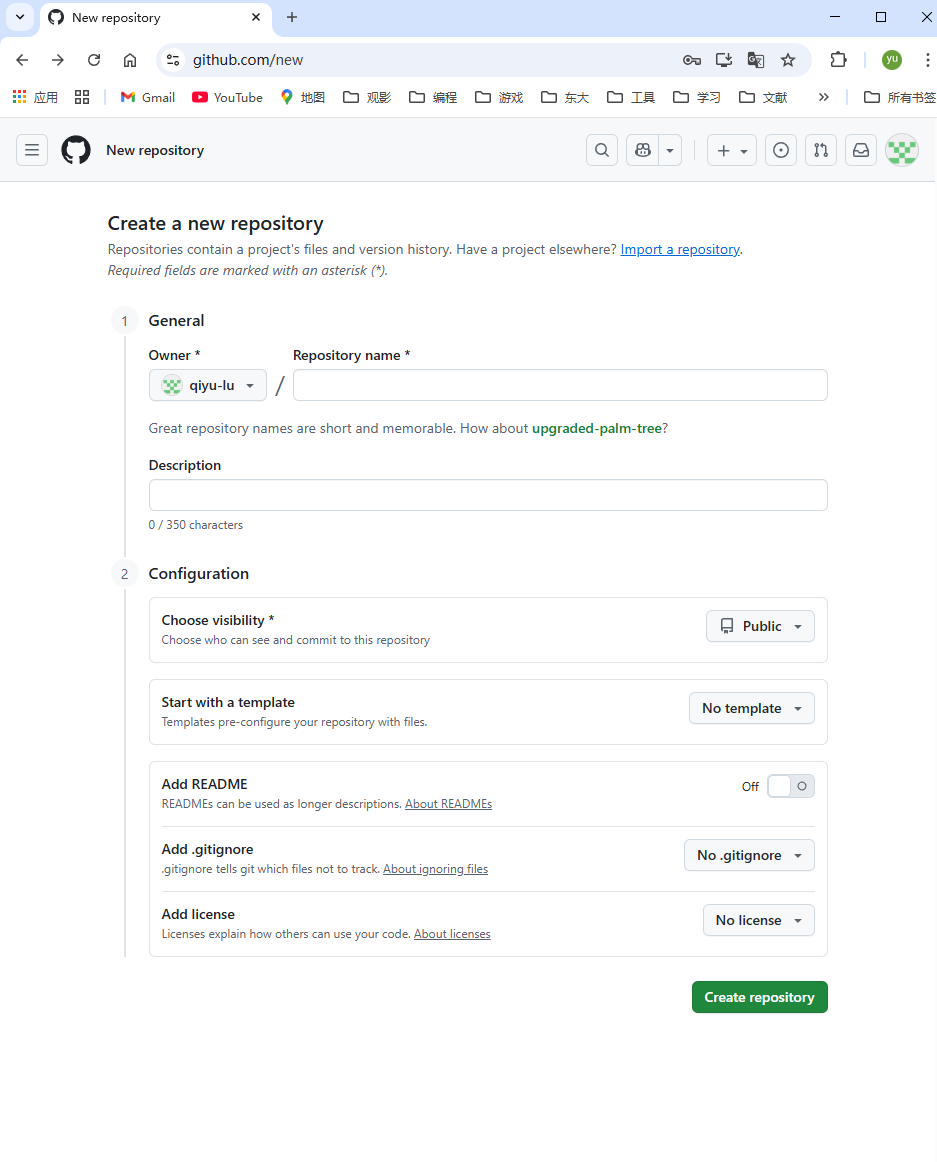 新建之后会有相关的远程仓库地址,https或者ssh格式
 -
将本地仓库与GitHub仓库关联 打开idea的终端,输入
git remote add origin <仓库地址> -
验证是否关联成功:
git remote -v会显示类似的:origin https://github.com/username/myproject.git (fetch) origin https://github.com/username/myproject.git (push) - 然后就是 git 的提交推送命令
git add . # 添加文件 git commit -m "首次提交" # 提交代码 git push -u origin main # 推送到 GitHub # 默认分支可能是 master 或 main,你可以先用 `git branch` #查看本地分支名称。第一次的话可以执行 `git push -u origin main` 来进行关联 - 如果不小心将一些不想上传的文件push了,可以在本地先删除,然后将文件加入到 .gitignore 文件中,重新push
rm -rf build devel echo "build/" >> .gitignore echo "devel/" >> .gitignore git rm -r --cached build devel # 从仓库索引中删除,但保留本地文件 git add .gitignore git commit -m "chore: remove build and devel from repo" git push - 如果git push 时出现权限错误,需要输入密码时,设置ssh连接
# 生成 SSH Key(如果没有) 按回车使用默认路径(~/.ssh/id_ed25519),可以设置密码或留空。
ssh-keygen -t ed25519 -C "your_email@example.com"
# 添加 SSH Key 到 GitHub 打开公钥文件,复制内容,GitHub → Settings → SSH and GPG keys → New SSH key → 粘贴
cat ~/.ssh/id_ed25519.pub
# 修改仓库 URL 为 SSH
git remote set-url origin git@github.com:qiyu-lu/slam_in_autonomous_driving_learning.git
# 测试连接 出现 “Hi qiyu-lu! You've successfully authenticated” 就成功了
git remote set-url origin git@github.com:qiyu-lu/slam_in_autonomous_driving_learning.git
# Push
git push